- AI Engineering
- Posts
- Run and Deploy LLMs on your Phone
Run and Deploy LLMs on your Phone
.. PLUS: Agent-to-User-Interface from Google

Sumanth P
January 16, 2026
In today’s newsletter:
Google A2UI: Agent-to-User-Interface
Run and Deploy LLMs on your Phone
Reading time: 3 minutes.
Text-based chat interfaces break down quickly once agents start doing real work.
Ask an agent to plan a trip and you get long, unstructured text listing dozens of options. That doesn’t scale. What you actually want are tables, filters, buttons, and interactive components.
Hardcoding UIs for every possible agent response isn’t practical either.
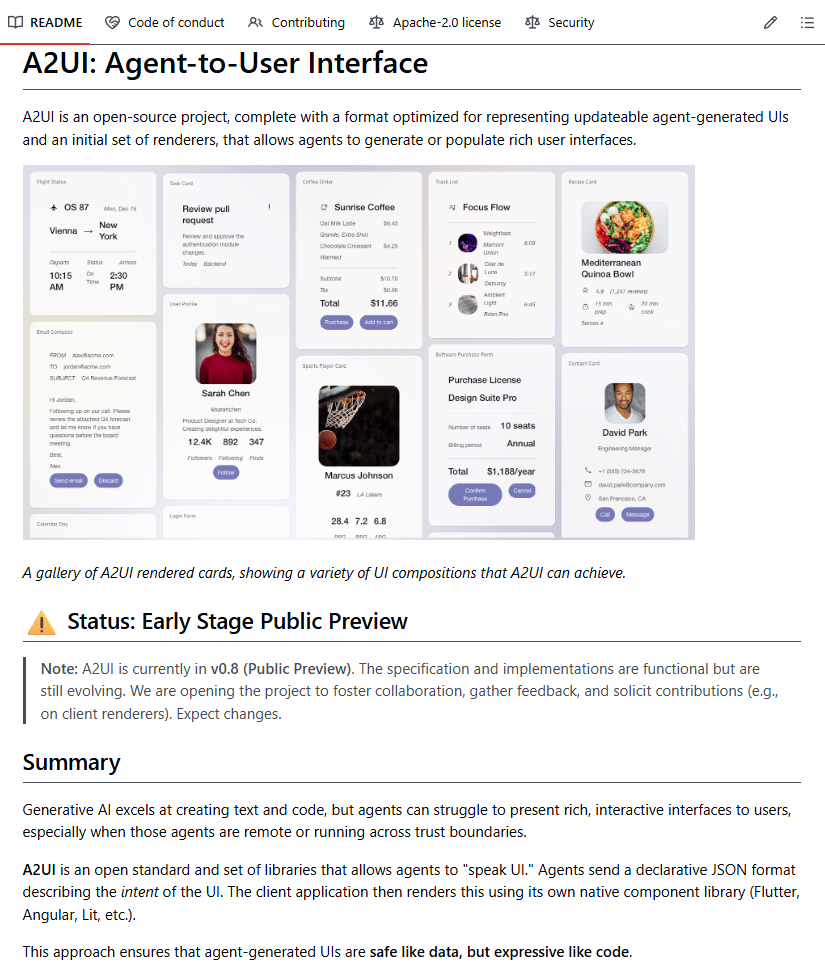
Google’s A2UI (Agent-to-User Interface) takes a different approach. Instead of returning text, the agent returns declarative JSON that describes the UI it wants to render. The client application interprets that JSON and maps it to trusted, native components.
The key idea is separation of concerns. The agent decides what to show. The application controls how it is rendered.
Core design principles
Declarative JSON only, no executable code
Client-side control over what components are allowed
Framework-agnostic output that works across React, Flutter, and SwiftUI
Sandboxed custom components with strict safety policies
This keeps UI generation flexible while leaving security and rendering decisions firmly in the developer’s hands, not the model’s.
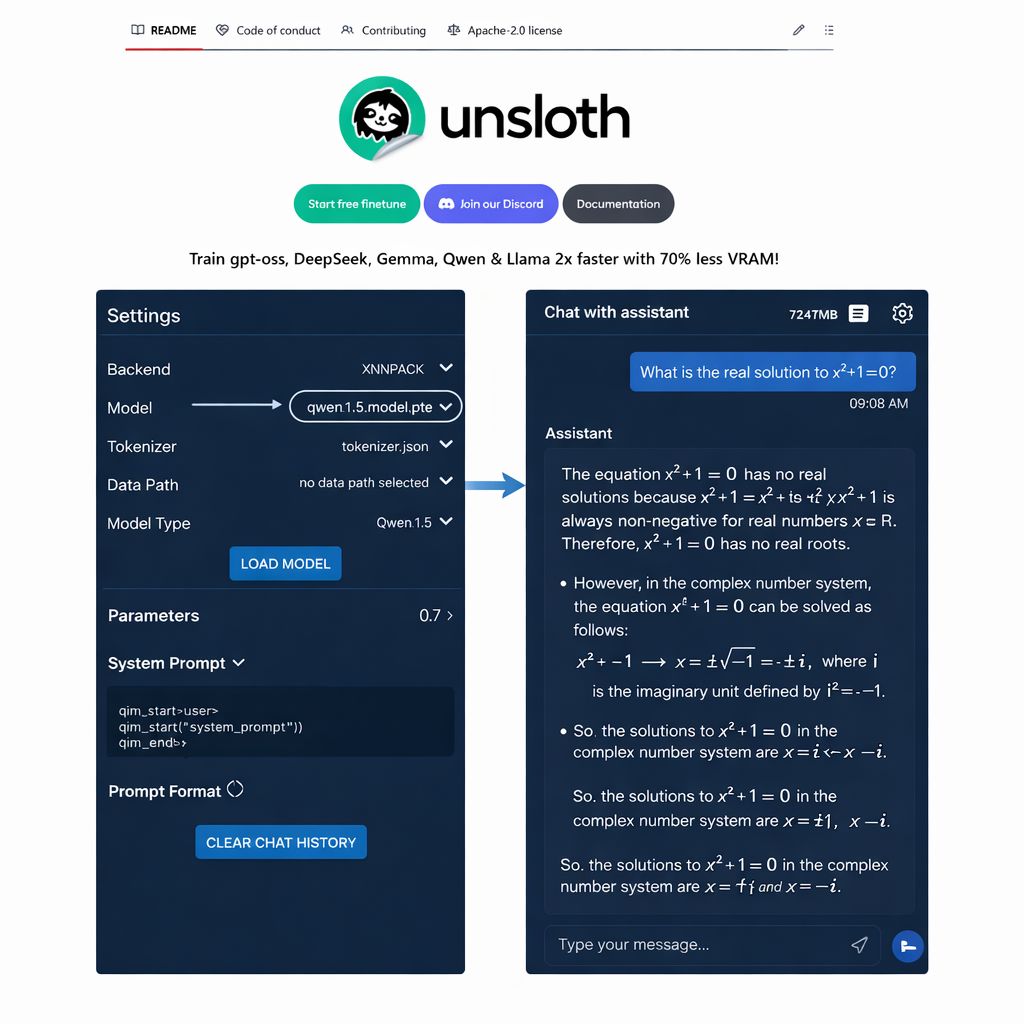
LLMs can now be trained, optimized, and executed directly on mobile devices.
In this example, we break down how to adapt a model for mobile devices, convert it into a mobile-executable format, and run it 100% locally on Android, without relying on servers or cloud inference.
We’ll use:
Unsloth to fine-tune models under mobile compute and precision constraints
TorchAO to generate low-precision, phone-efficient weights
ExecuTorch to execute the model natively on Android, fully offline
Let’s get started!
1️⃣ Load model
Let’s start by loading Qwen3-0.6B with the phone_deployment configuration enabled.
This configuration turns on quantization-aware training (QAT) at load time, so the model is optimized under mobile execution constraints rather than full-precision server settings.
By simulating low-precision arithmetic throughout training, QAT forces weights, activations, and value ranges to adjust to quantization effects early, ensuring the trained model behaves correctly when exported via TorchAO and deployed with ExecuTorch.

2️⃣ Load Datasets
With the model initialized for mobile execution, Let’s define the behaviors it should learn.
In this setup, Two datasets are loaded:
A reasoning dataset for step-by-step problem solving
A chat dataset for natural conversational responses
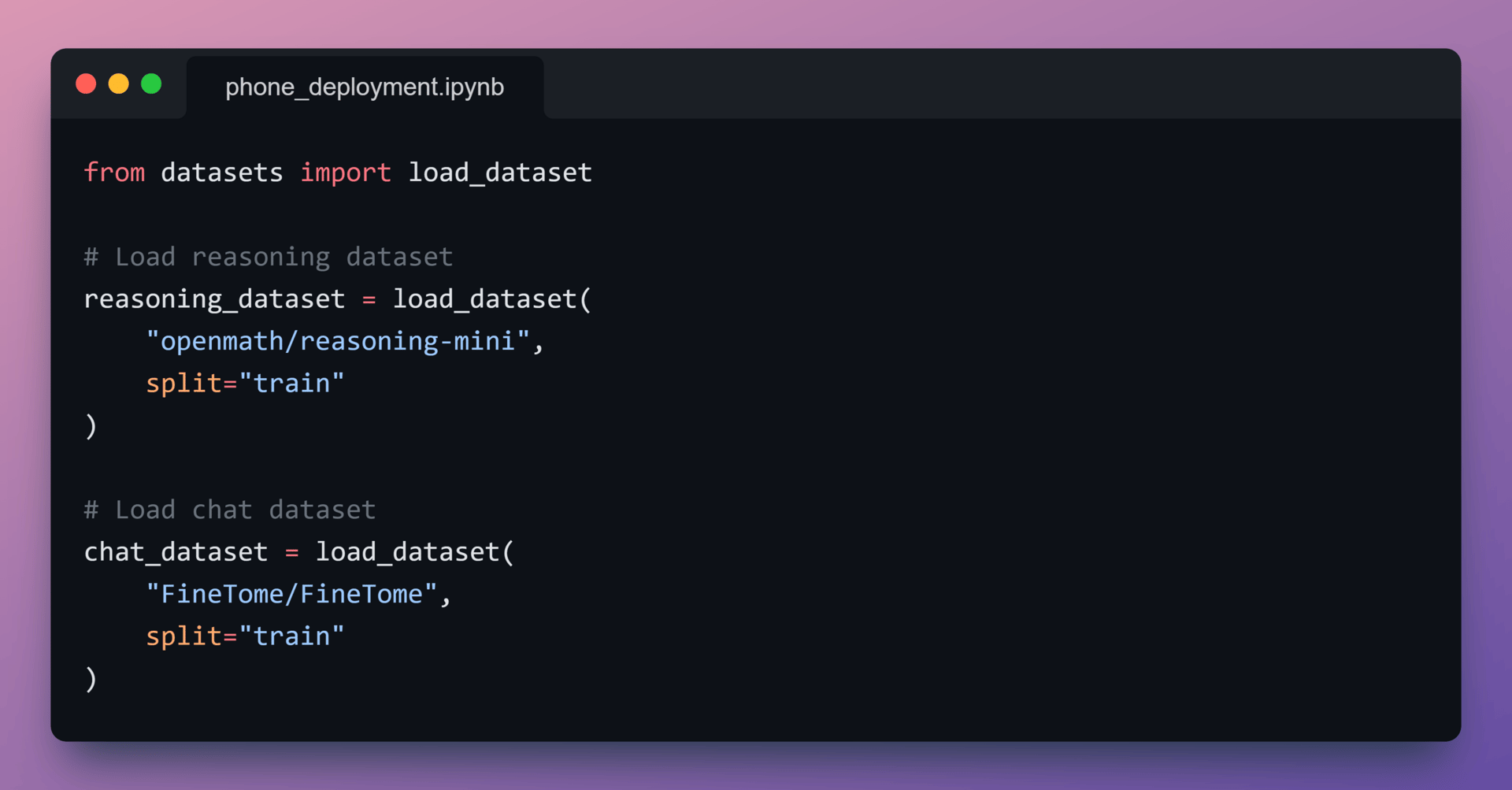
Both datasets are trained under the same quantized, phone-first setup established during model initialization.
3️⃣ Convert reasoning data
Reasoning datasets are often stored as structured fields such as problem, solution, and explanation.
Since the model is trained as a conversational system, each reasoning example is converted into:
a user prompt containing the question
an assistant response containing the full step-by-step reasoning
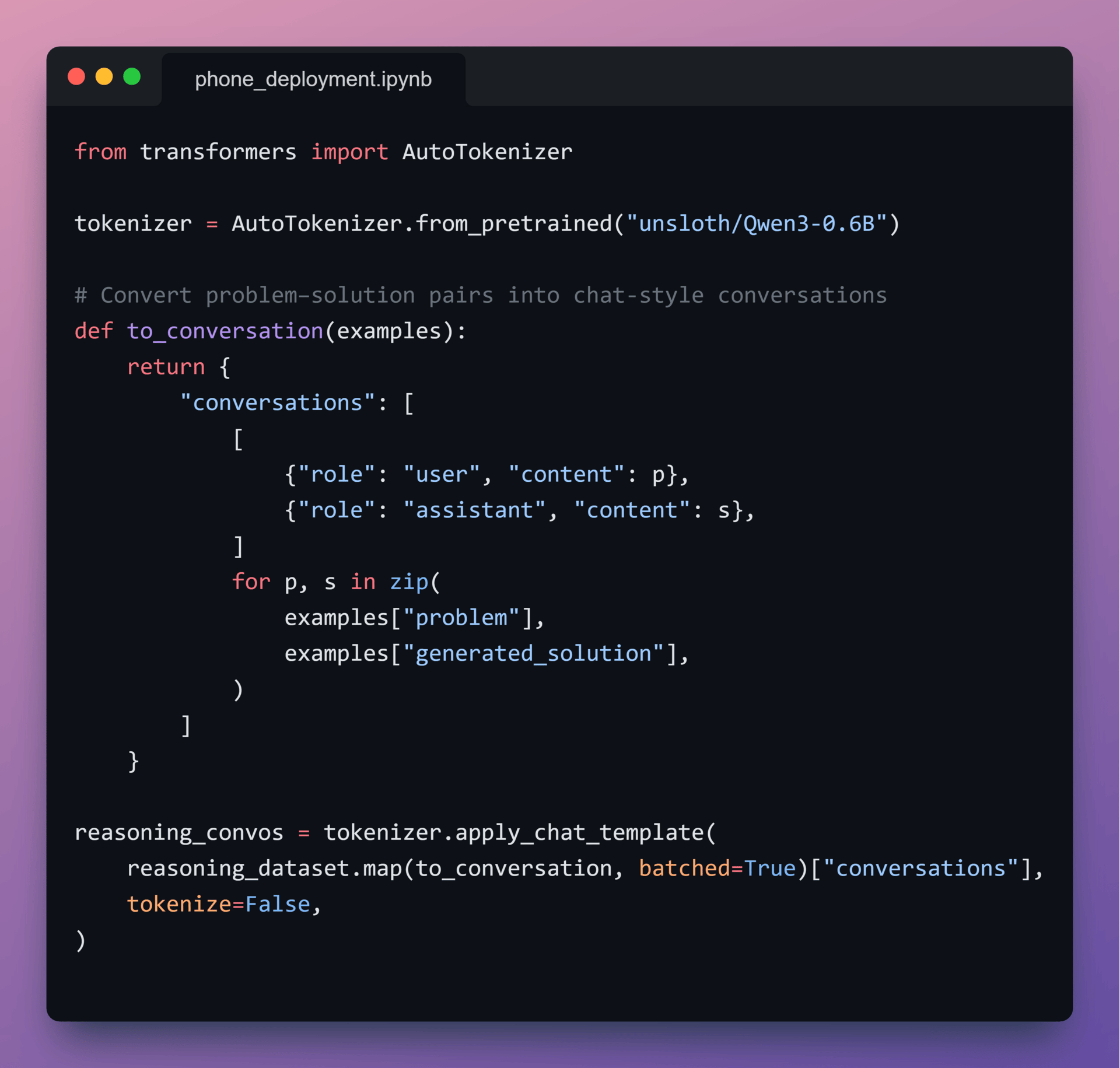
This ensures that reasoning behavior is learned in the same interaction format the model will use at inference time.
4️⃣ Standardize chat data
To keep training signals consistent, the chat dataset is reformatted into the same user → assistant schema.
Using a single conversational format:
Stabilizes training
Simplifies batching and optimization
Allows reasoning and chat behaviors to reinforce each other

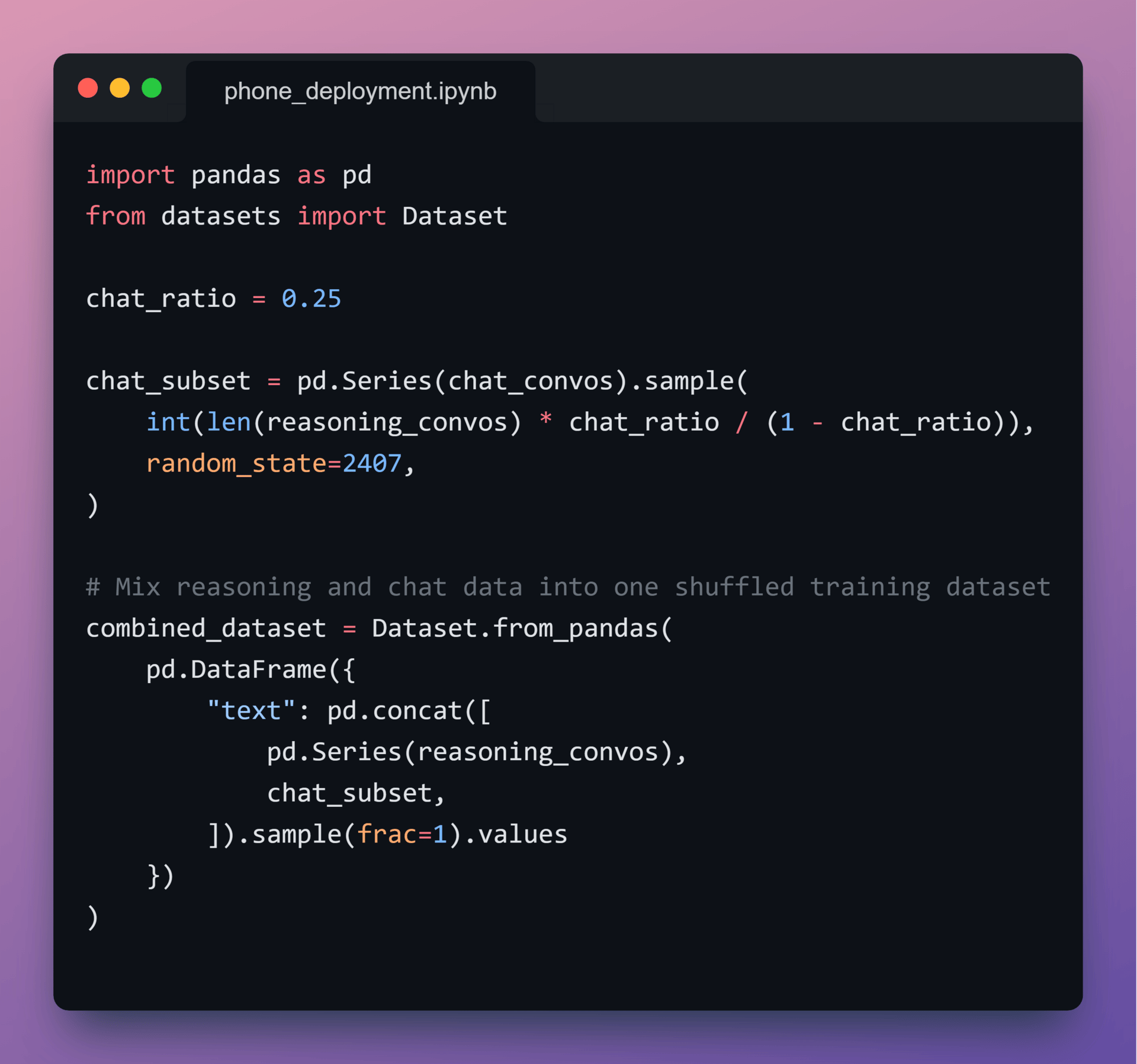
5️⃣ Mix Reasoning and Chat Data
With both datasets standardized, let’s combine them into a single training corpus:
75% reasoning data
25% chat data
This ratio biases the model toward structured thinking while preserving conversational fluency.
6️⃣ Fine-Tune Model
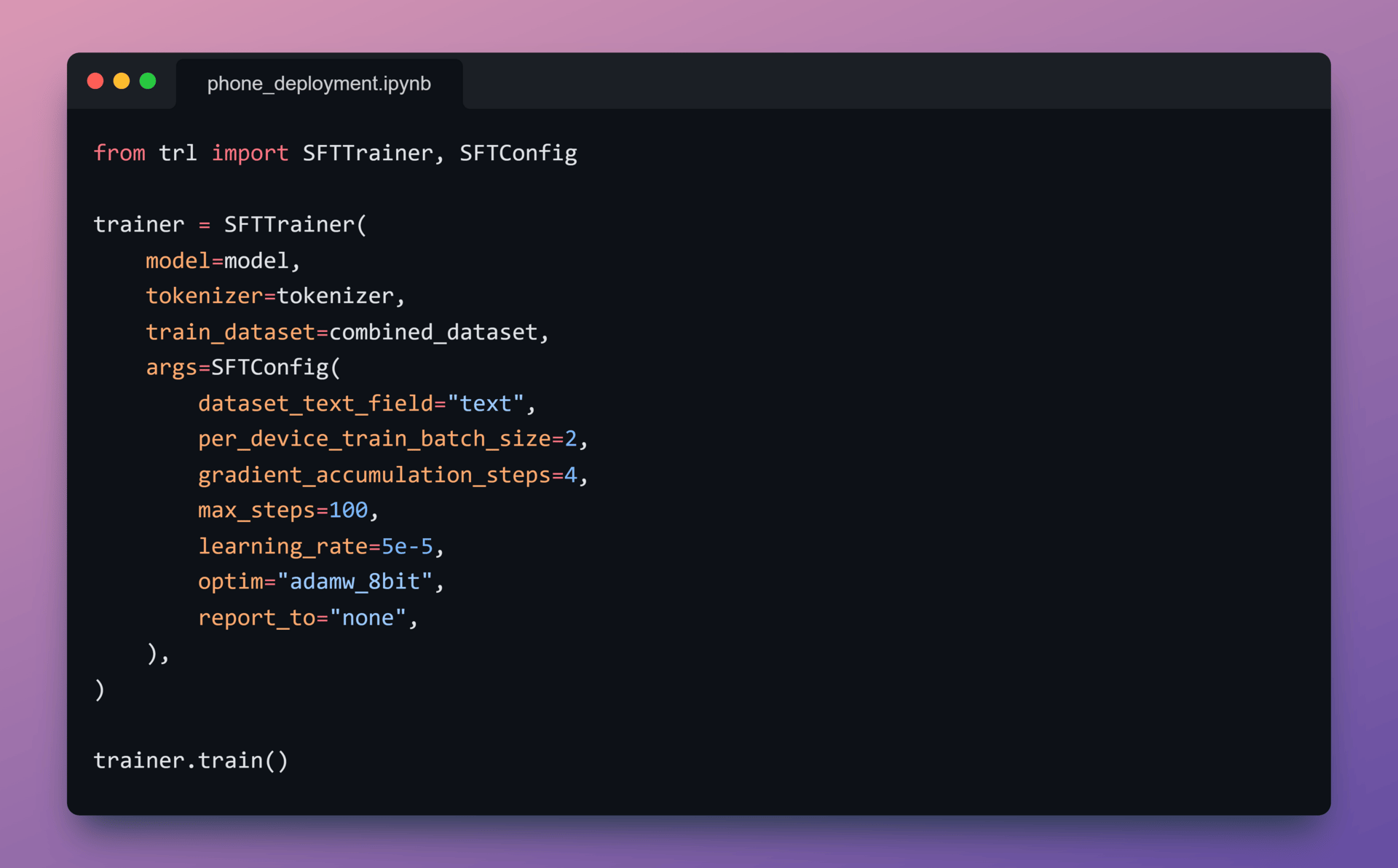
With data prepared, Qwen3-0.6B is fine-tuned using Unsloth’s trainer.
Throughout training:
Quantization-aware training stays enabled
Memory usage stays low
Training runs are short but effective
This setup ensures the model learns under quantized execution constraints from the start, producing weights that are stable and deployment-ready for low-precision runtimes.
7️⃣ Save the model
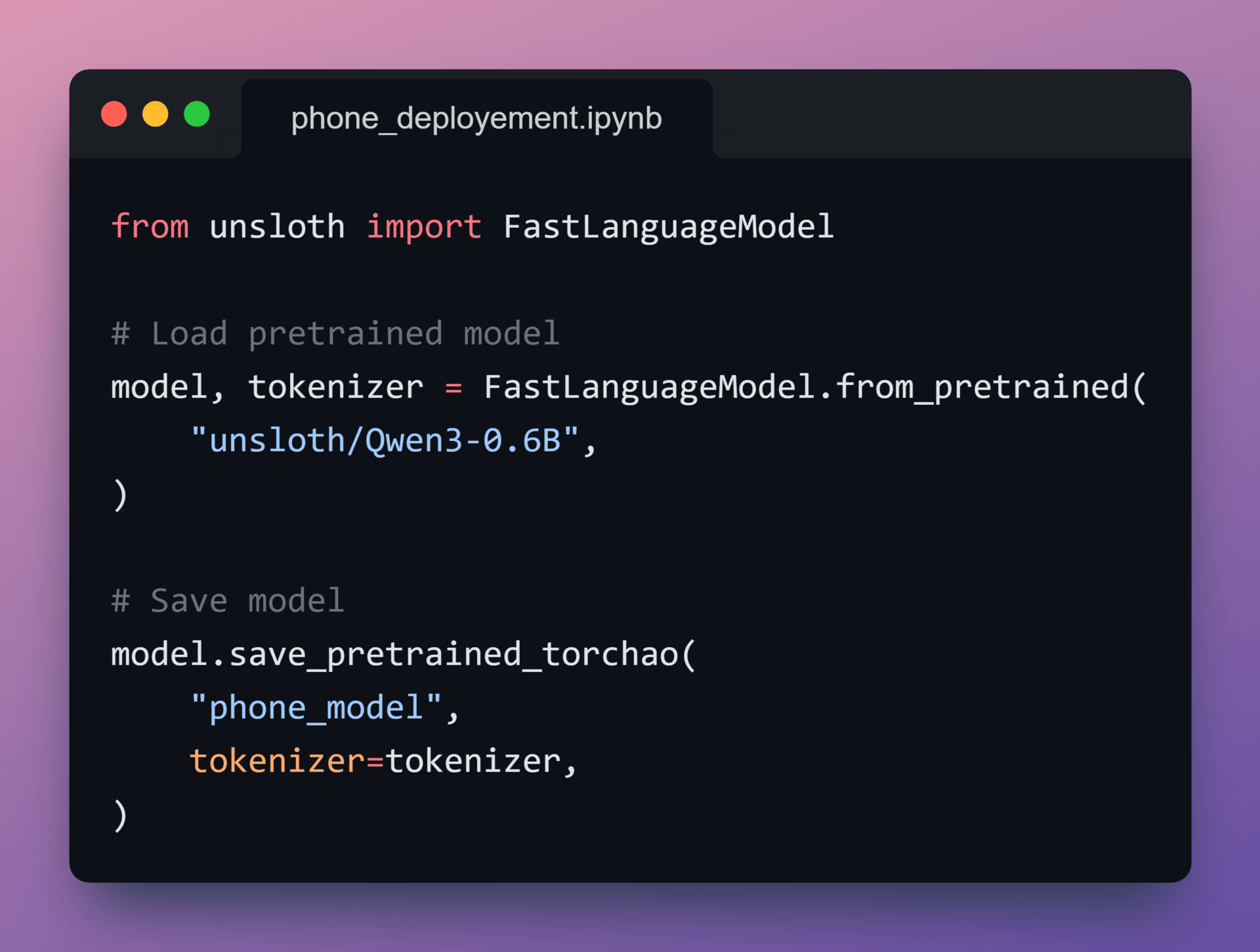
After training completes, let’s export the model in a TorchAO-compatible quantized format.
At this point, the weights are finalized and optimized for low-precision execution, but remain independent of any specific mobile runtime.
This output serves as the handoff point to mobile compilation.
8️⃣ Export to .pte
Next, the quantized model is converted into a single .pte file using ExecuTorch.
The .pte format:
is optimized for on-device inference
does not require a Python runtime
is designed for mobile CPUs and NPUs
The model configuration and tokenizer are bundled alongside the weights so the Android app has everything required to run locally.
The resulting artifact is approximately 470 MB, which is typical for on-device LLMs.

9️⃣ Run on Android
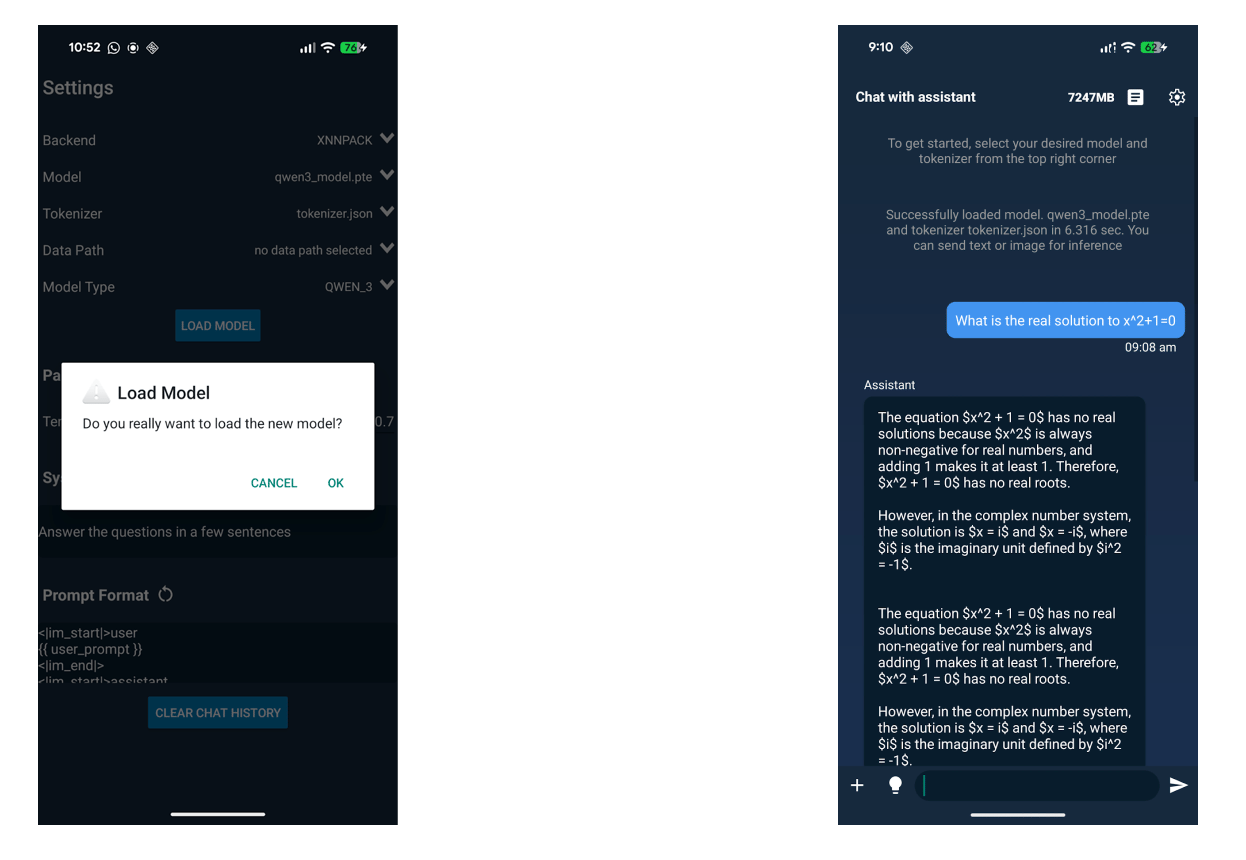
Finally, the .pte model and tokenizer are loaded into the ExecuTorch Android demo app.
Once loaded:
inference runs entirely on-device
no server calls or network access are required
execution uses the same ExecuTorch runtime deployed in production mobile apps
Qwen3-0.6B now runs locally on an Android phone using the same ExecuTorch runtime deployed in production mobile apps.
That’s a Wrap
That’s all for today. Thank you for reading today’s edition. See you in the next issue with more AI Engineering insights.
PS: We curate this AI Engineering content for free, and your support means everything. If you find value in what you read, consider sharing it with a friend or two.
Your feedback is valuable: If there’s a topic you’re stuck on or curious about, reply to this email. We’re building this for you, and your feedback helps shape what we send.
WORK WITH US
Looking to promote your company, product, or service to 160K+ AI developers? Get in touch today by replying to this email.