- AI Engineering
- Posts
- Minimax released MaxClaw: OpenClaw + MiniMax M2.5
Minimax released MaxClaw: OpenClaw + MiniMax M2.5
... PLUS: Turn Claude Code into an AI Research Agent

Sumanth P
March 05, 2026
In today’s newsletter:
AI Research Skills: Add 80+ Production-Ready Research Skills to Your Coding Agent
MaxClaw Setup: Run OpenClaw + Minimax M2.5 in the cloud with zero configuration
Reading time: 5 minutes.

You give your agent a research task. It codes, runs, and reports back clean results. Everything looks fine, until the experiment fails and you realize the framework was never used correctly to begin with.
Coding agents are built to write code that runs. They're not built to know the frameworks deeply.
That's what the AI-research-SKILLs library fixes.

It packages comprehensive research skills that transform any coding agent (Claude Code, Cursor, Codex, Gemini CLI) into an AI research powerhouse.
Each skill provides production-ready knowledge of a specific framework with real code examples, troubleshooting guides, and battle-tested workflows.
Every skill provides deep, expert-level guidance.
What You Get
The library covers the complete AI research lifecycle including:
RAG: Chroma, FAISS, Pinecone, Qdrant, Sentence Transformers
Agents: LangChain, LlamaIndex, CrewAI, AutoGPT
Inference serving: Documentation for vLLM, TensorRT-LLM, SGLang, and llama.cpp
Tokenization: HuggingFace Tokenizers, SentencePiece
Cloud platforms: Skills for Modal, SkyPilot, and Lambda Labs
MLOps: W&B, MLflow, TensorBoard
Multimodal: CLIP, Whisper, LLaVA, BLIP-2, SAM, Stable Diffusion, AudioCraft
The installation takes one command:
npx @orchestra-research/ai-research-skills
The installer auto-detects your agents and lets you choose individual skills, categories, or the complete library. The skills also install automatically with the right configuration for each agent.
Your agent now has expert-level knowledge across the entire AI research stack.

You want a persistent AI agent that runs across Telegram, Slack, WhatsApp, and Discord. OpenClaw does this, but here's the issue:
If you choose to self-host it, then you’d have to deal with Node.js setup, channel configuration, API keys, and keeping servers running 24/7.
MaxClaw handles all of that for you.
Powered by MiniMax M2.5, MaxClaw is MiniMax's cloud-hosted deployment of OpenClaw. It gives you the full OpenClaw agent framework with memory, tools, and multi-channel messaging, all running in the cloud with zero infrastructure to manage.
Here's how to set it up:
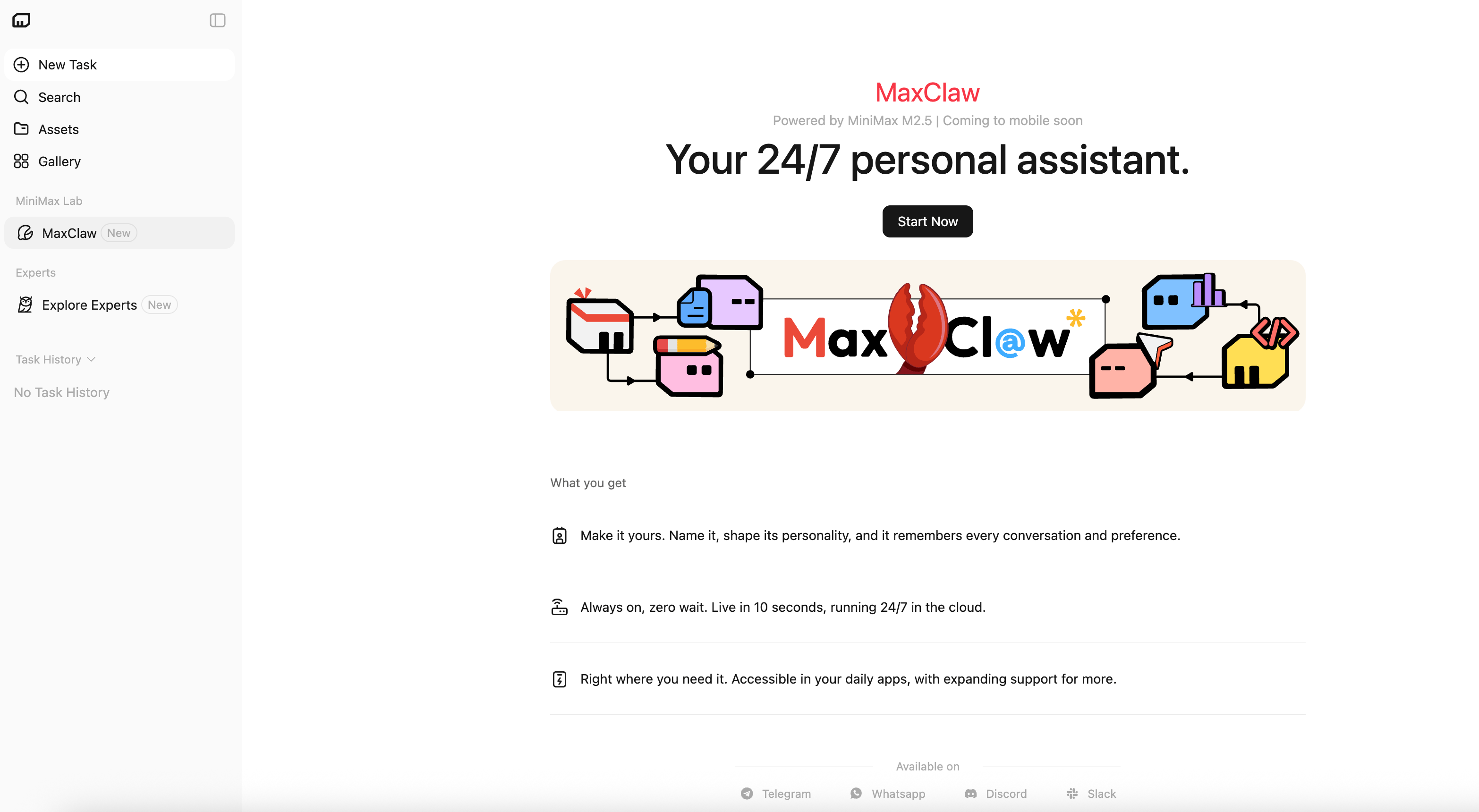
Step 1: Access MaxClaw
Visit agent.minimax.io/max-claw. Log in with your MiniMax account.
Find "MaxClaw" under "MiniMax Lab" in navigation.
Step 2: Choose an Expert
MaxClaw provides 10,000+ pre-built expert agents. For this guide, we're using Industry Research Expert.
You can also create your own experts by describing what you need in natural language. MaxClaw auto-generates the agent configuration and tools.
Click "I'm ready" after selecting your expert.

Step 3: Initialize Agent Gateway
MaxClaw initializes your agent gateway. The screen shows:
Launching OpenClaw instance in the cloud
Loading Industry Research Expert configuration
Setting up tool ecosystem
This takes a few seconds.

When complete, the dashboard shows your agent status as "Running".
Now that your agent is running, you can test its capabilities by connecting it to a messaging platform. MaxClaw supports Telegram, Discord, Slack, and WhatsApp. For this example, we'll use Telegram.
Connecting to Telegram
Step 1: Open Telegram and search for BotFather
Start a chat with @BotFather (Telegram's official bot creation tool).
Step 2: Create a new bot
Send /newbot to BotFather.
BotFather will ask for:
A display name for your bot (e.g., "Research Assistant")
A unique username ending in "bot" (e.g., "myresearch_assistant_bot")

Step 3: Copy your bot token
BotFather generates a token. Copy the token.
Step 4: Connect Telegram in MaxClaw
Back in the MaxClaw dashboard, ask in the chat: "Connect Telegram"
MaxClaw will respond with setup instructions and a guide.
Paste your bot token when prompted. Follow the on-screen instructions to complete the connection.
This takes about a minute.
Step 5: Test it
Open your new Telegram bot and send a test message.
Here's a real example of how it works.
Example task:
"Research the current state of vector databases. Compare Pinecone, Weaviate, Qdrant, and Milvus. Focus on performance benchmarks, pricing models, and developer experience. Provide a structured report with citations."
The agent kicks off a full research report. It runs through four phases:
Research
Writing
Fact-checking
PDF formatting
Finally, you get a comprehensive analysis in minutes.

Your agent runs 24/7, accessible from anywhere.
You can also create your own experts. Describe what you need in natural language, and MaxClaw auto-generates the agent configuration and tools.
Key Features:
10,000+ expert agents ready to deploy.
24/7 uptime with persistent memory.
If you've been curious about OpenClaw but haven't wanted to deal with Node.js versions, channel configuration, and server management, this is your entry point.
That’s all for today. Thank you for reading today’s edition. See you in the next issue with more AI Engineering insights.
PS: We curate this AI Engineering content for free, and your support means everything. If you find value in what you read, consider sharing it with a friend or two.
Your feedback is valuable: If there’s a topic you’re stuck on or curious about, reply to this email. We’re building this for you, and your feedback helps shape what we send.
WORK WITH US
Looking to promote your company, product, or service to 160K+ AI developers? Get in touch today by replying to this email.