- AI Engineering
- Posts
- Add Persistent Memory to OpenClaw Agents
Add Persistent Memory to OpenClaw Agents
... PLUS: Run Claude Code Locally With Zero API Costs

Sumanth P
March 16, 2026
In today’s newsletter:
Memory that persists across OpenClaw agent sessions
Run Claude Code locally without API costs
Reading time: 5 minutes.
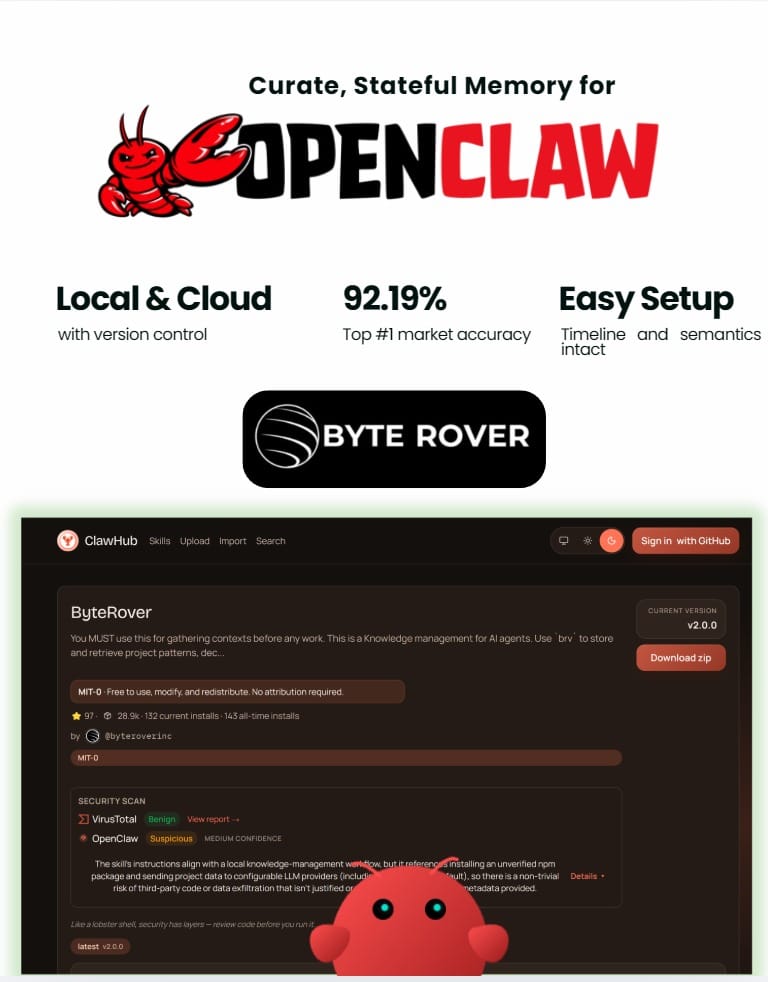
The problem: OpenClaw's memory doesn't persist
OpenClaw agents are powerful for dev work: scheduled workflows, automated testing, continuous codebase monitoring. But there's a memory problem.
Across sessions, OpenClaw's auto-memory gets stored by day in memory/YYYY-MM-DD.md files and rotates over time. If you want something to stick, you have to manually curate it into MEMORY.md, which becomes inefficient and bloated.
Ask "How is authentication implemented?" and the agent reads 50+ files to piece together an answer. That's 10,000+ tokens when only 300-500 tokens of relevant context actually matter.
The agent can't remember that your project uses JWT tokens with 24-hour expiration. It can't remember the auth logic is in src/middleware/auth.ts. It re-discovers the same patterns every session.
The solution: LLM-powered memory curation
ByteRover fixes this with intelligent memory curation. Instead of storing embeddings, it curates knowledge into a hierarchical tree structure organized as domain → topic → subtopic. Everything is stored as Markdown files.
When you tell OpenClaw something once, ByteRover's curation agent structures it, synthesizes it, and stores it in the context tree. Keeps the timeline, facts, and meaning perfectly in place. Days later, after multiple restarts, the agent pulls the exact knowledge without re-explanation.
#1 market accuracy: 92.19%
ByteRover hit 92.19% retrieval accuracy after 8+ months of architecture iteration. That's #1 in the market right now. Retrieval works through a tiered pipeline: cache lookup → full-text search → LLM-powered search.
83% token cost savings
A 1,000+ file project with 10 coding questions per day burns hundreds of thousands of tokens on redundant file reads. ByteRover cuts this by 83%.
Fully local with cloud sync option
The memory is local-first. When you need it elsewhere, push to ByteRover's cloud. Version control, team management, and shared memory across different OpenClaw agents or any autonomous agent setup.
Multiple OpenClaw agents can share the same memory. Your home desktop agent and work laptop agent stay aligned without manual syncing.
Super simple setup
One command:
curl -fsSL https://byterover.dev/openclaw-setup.sh | shByteRover works alongside OpenClaw's existing memory system. You control what gets curated. Edit, update, and restructure memory anytime through the CLI or web interface.
Commands: brv query for retrieval, brv curate to add knowledge, brv push/pull for cloud sync.
Claude Code is powerful for agentic coding workflows. But API costs add up fast when running coding agents continuously. A multi-file refactoring session can burn through tokens quickly.
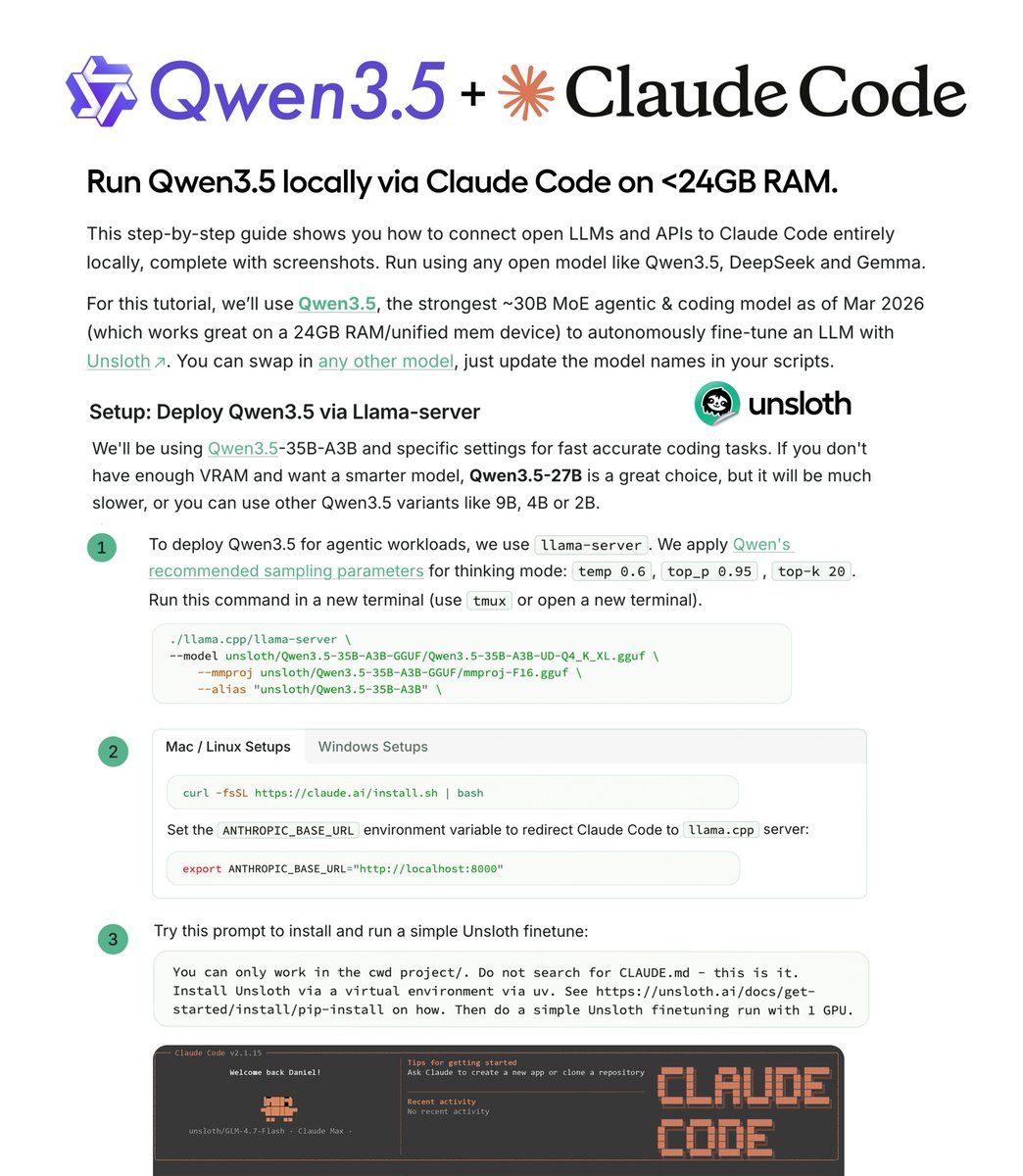
Unsloth's guide shows how to run Qwen 3.5 locally via Claude Code using llama-server. Zero API costs. Same workflow. Complete local control.
Why Qwen 3.5 for local agentic coding:
Qwen 3.5 is a ~35B MoE model with 3B active parameters. Built specifically for long-horizon reasoning, complex tool use, and recovery from execution failures in agentic coding workflows.
The sparse activation makes it fast enough for real-time coding while maintaining quality. Works on 24GB RAM or unified memory (RTX 4090, M3 Max, similar hardware).
Setup:
Install llama.cpp for serving local LLMs:
git clone https://github.com/ggml-org/llama.cpp
cmake llama.cpp -B llama.cpp/build -DGGML_CUDA=ON
cmake --build llama.cpp/build --config Release -j
Download Qwen 3.5 using Unsloth's Dynamic GGUFs (maintains accuracy even when quantized):
hf download unsloth/Qwen3.5-35B-A3B-GGUF \
--local-dir unsloth/Qwen3.5-35B-A3B-GGUF \
--include "*UD-Q4_K_XL*"
Run llama-server with Qwen's recommended parameters for agentic workflows:
llama-server --model unsloth/Qwen3.5-35B-A3B-GGUF \
--port 8001 --ctx-size 131072 \
--temp 0.6 --top-p 0.95 --top-k 20
Point Claude Code to your local server:
export ANTHROPIC_BASE_URL="http://localhost:8001"
export ANTHROPIC_API_KEY='sk-no-key-required'
claude --model unsloth/Qwen3.5-35B-A3B
What you can build:
Build a local fine-tuning agent that autonomously fine-tunes models using Unsloth. Complete workflow runs locally with no cloud dependencies.
The setup works with any open model. Swap Qwen 3.5 for DeepSeek, Gemma, or GLM-4.7-Flash by changing the model name. Same configuration, different model.
Unsloth's Dynamic GGUFs maintain accuracy at lower quantization levels compared to standard quantization. The entire workflow runs at zero cost without changing how you use Claude Code.
That’s all for today. Thank you for reading today’s edition. See you in the next issue with more AI Engineering insights.
PS: We curate this AI Engineering content for free, and your support means everything. If you find value in what you read, consider sharing it with a friend or two.
Your feedback is valuable: If there’s a topic you’re stuck on or curious about, reply to this email. We’re building this for you, and your feedback helps shape what we send.
WORK WITH US
Looking to promote your company, product, or service to 160K+ AI developers? Get in touch today by replying to this email.